How to Book Tatkal Ticket on RailOne App (Faster Than IRCTC Old App)
How to Book Tatkal Ticket on RailOne App: If you need to travel urgently and want a confirmed train ticket, Tatkal booking is the best option. Many users now prefer booking Tatkal tickets through mobile apps instead of waiting on IRCTC’s website. One of the easiest apps to use is the RailOne App.
In this simple guide, you will learn how to book Tatkal ticket on the RailOne app step-by-step.

Table of Contents
What is Tatkal Ticket?
Tatkal is a special scheme by Indian Railways that allows passengers to book tickets just one day before the journey.
- Tatkal for AC classes opens at 10:00 AM
- Tatkal for Sleeper classes opens at 11:00 AM
Since these tickets get sold out fast, you must be prepared before booking.
Tatkal Ticket Charges
Indian Railways adds extra charges:
- Sleeper Class: ₹100 – ₹200
- 3AC: ₹300 – ₹400
- 2AC: ₹400 – ₹500
- Chair Car (CC): ₹125 – ₹150
Charges depend on train and distance.
Step-by-Step Guide to Book Tatkal Ticket on RailOne App
1. Download and Install RailOne App
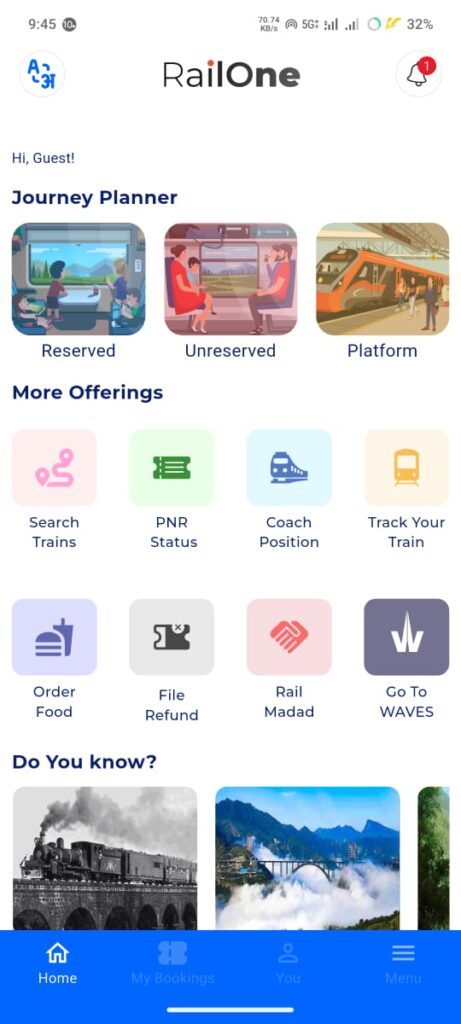
First, download the RailOne App from the Google Play Store or App Store.
Open the app and log in with your mobile number.
2. Search Your Train
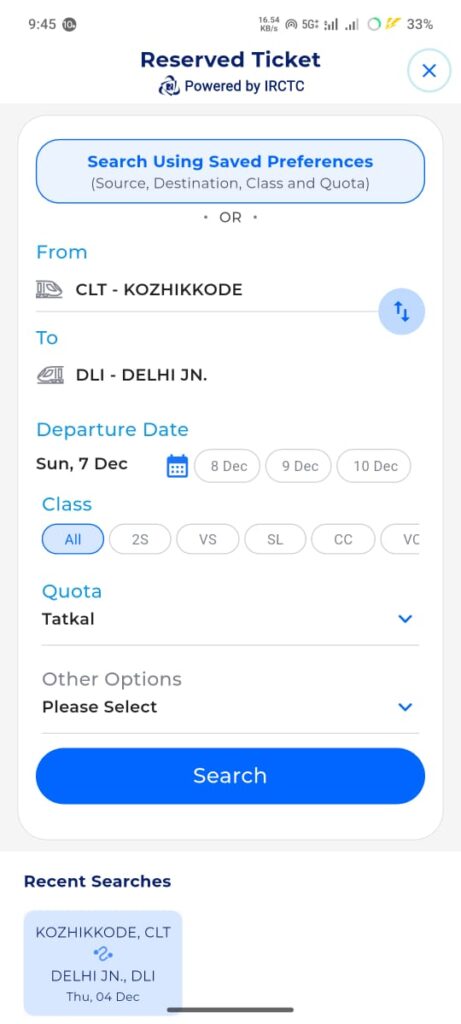
- Enter From Station and To Station
- Select Travel Date
- Tap on Search Trains
Make sure the date is correct because Tatkal is available only for next-day travel.
3. Select Tatkal Quota
When the train list appears:
- Choose your preferred train
- Tap on Class (Sleeper, 3AC, 2AC)
- Select Tatkal Quota
This ensures your booking is made under the Tatkal category.
4. Add Passenger Details
- Enter passenger name
- Age
- Gender
- Berth preference
You can add multiple passengers according to Indian Railways rules.
Tip: Save passenger profiles in the app for faster booking.
5. Complete Payment Quickly
Tatkal seats fill up in minutes. So be ready with:
- UPI
- Debit card
- Net banking
Click Proceed to Pay and complete the payment instantly.
6. Get Your Confirmed e-Ticket
After successful booking, your e-ticket will appear in the RailOne app.
You can also download the PDF and check your PNR status anytime.
Important Tips for Successful Tatkal Booking
- Open the app 5 minutes before booking starts
- Ensure strong internet connection
- Keep passenger details ready
- Use UPI for the fastest payment
- Book exactly at 10:00 AM (AC) or 11:00 AM (Sleeper)
Extra Tips to Improve Tatkal Success Rate
Tatkal seats fill in 1–2 minutes. Follow these tips:
✔ Log in 10 minutes early
Open the app 9:50 AM (AC) or 10:50 AM (SL).
✔ Save passenger profiles
Avoid typing during Tatkal rush. You can already save the Name and details of Passengers before booking, check below screenshot
✔ Use RailOne Wallet in the RailOne App
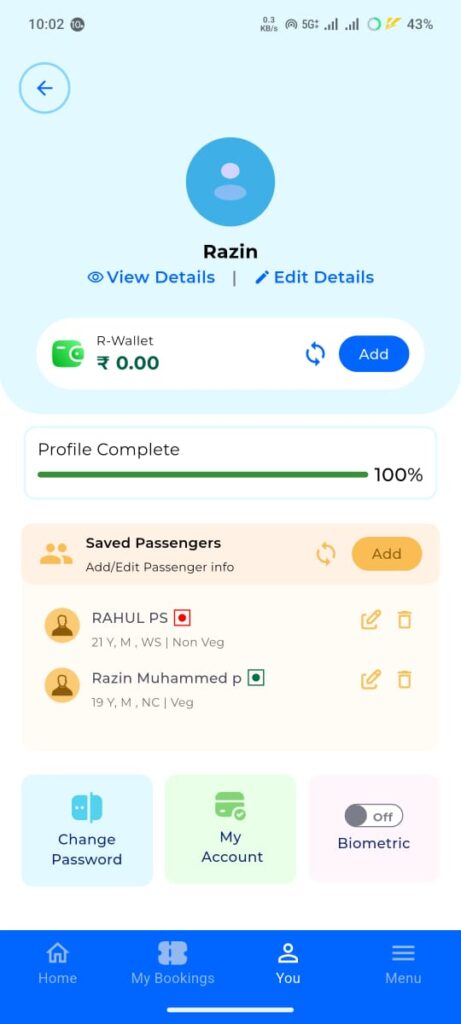
Use RailOne App wallet, which is the fastest payment method. UPI or other payments need more time for verification of payment
✔ Keep stable internet connection
Slow internet = failed booking.
✔ Refresh availability 1 minute before opening time
Tatkal Cancellation & Refund Rules
- Tatkal tickets are NON-REFUNDABLE.
- No refund if passenger cancels the ticket.
- Refund is allowed only if:
- Train gets cancelled
- Train is late by more than 3 hours
- Railway fails to provide seat/berth
Common Errors During Tatkal Booking
Many users face these issues:
| Error | Meaning |
|---|---|
| Payment pending | Payment gateway delay |
| Seats not available | Tatkal quota filled instantly |
| IRCTC session timeout | Slow connection or delay in filling form |
| OTP not received | Server overload |
Solution: Always use fast internet + UPI.
To Download Railone App
To Download Railone App click here
Booking a Tatkal ticket is easy if you follow the steps correctly. The RailOne app makes the process faster and smoother compared to the IRCTC website. With quick search, saved passengers, and fast payments, you can increase your chances of getting a confirmed Tatkal ticket.
Also Read :
- Aadhaar Mobile Number Update Online from your Home – Aadhaar App
- How to take OP Ticket online for Kerala Govt Hospital Consultation
- How to Fill Voter Election SIR Form through Online
- How to Check BLO Uploaded SIR Status Online